NEXUS
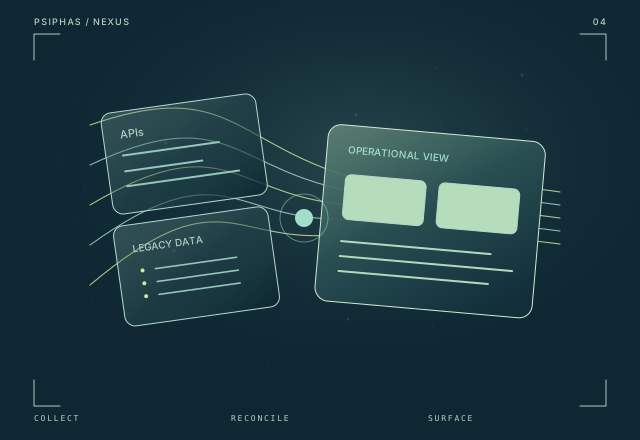
A production enterprise integration platform that brings API, automation, and mainframe data into one reconciled operational view.
Explore NEXUSEndpoint operations
A closed-loop Windows support platform connecting evidence-led diagnosis, controlled repairs, outcome verification, and centralized endpoint operations.
Project status
Built · Pilot preparation
Technology stack
Engineering focus
RelayOps brings the entire support cycle together: understand the fault, choose an appropriate action, verify the outcome, and keep the evidence. A technician application and central operations dashboard connect local troubleshooting with remote sessions and a shared view of endpoint health.
01 / Context
A report such as a failed connection, a printer problem, or a silent microphone does not explain its cause. Support teams need evidence from the device, a suitable action, and a way to check the outcome. RelayOps is organized around that complete investigation-and-repair cycle.
02 / The system
RelayOps connects a technician-facing Windows application with a central endpoint-operations dashboard. Guided diagnostics, controlled repairs, remote checks, interactive sessions, and reporting belong to the same support workflow. Device events add context to faults and disconnections, while a central solutions catalog and driver resources support action inside closed-network environments.
03 / Capabilities
Guided workflows investigate connectivity, printers, displays, performance, input devices, audio and video, and email-client issues. Device evidence helps explain the fault and identify when a physical check is needed.
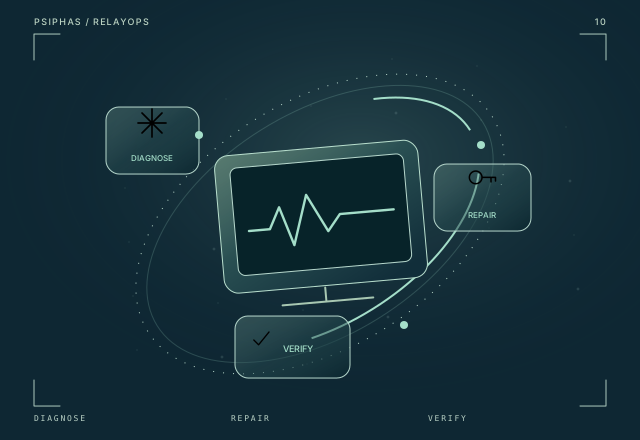
Supported actions sit within a diagnose–repair–verify workflow. Disruptive changes request operator confirmation, and verification checks the condition after the action.
The central dashboard connects endpoint status with remote diagnostics and interactive sessions, bringing support questions and decisions into the technician’s workspace.
Reports and device events help explain disconnections and distinguish an individual endpoint problem from a broader incident affecting multiple devices.
Internal repair resources and offline operation support environments where public internet access is unavailable or unsuitable for the support workflow.
A central solutions catalog and driver resources bring repeatable support operations into one platform, connecting the troubleshooting interface with the resources needed to act.
04 / System map
This conceptual sequence explains how the project’s main capabilities connect.
Guided diagnostics connect the reported issue with device evidence.
The technician uses an appropriate repair workflow; disruptive changes request confirmation.
The system checks the result after the action.
Reports and device events support follow-up and the broader operational view.
05 / Scope & status
The platform is built. Desktop and remote workflows have been exercised in a local Windows test environment; broader organizational integration and rollout remain subject to pilot validation.
Continue exploring
A production enterprise integration platform that brings API, automation, and mainframe data into one reconciled operational view.
Explore NEXUS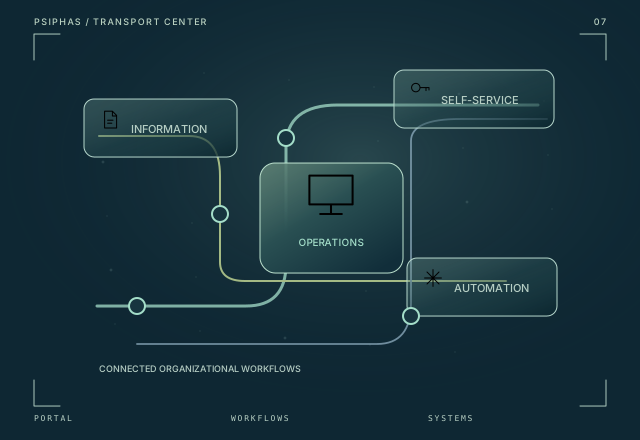
An organizational command center connecting shared information, incident visibility, self-service IT, and the legacy workflows behind daily operations.
Explore Transport Center